MealieShopper reads your week menu from Mealie, looks up every ingredient at Albert Heijn, Picnic, Jumbo or Crisp and, once you have checked it, puts the groceries in your basket. You place the order yourself.
MealieShopper is unofficial and has no ties to Mealie or these stores.
How it works
Plan, check, done
Planning a week menu in Mealie is nice, but then the retyping starts: looking up every ingredient at your supermarket, working out how many packs you need and checking whether the offer really is cheaper. MealieShopper does that for you.
1
Plan your week
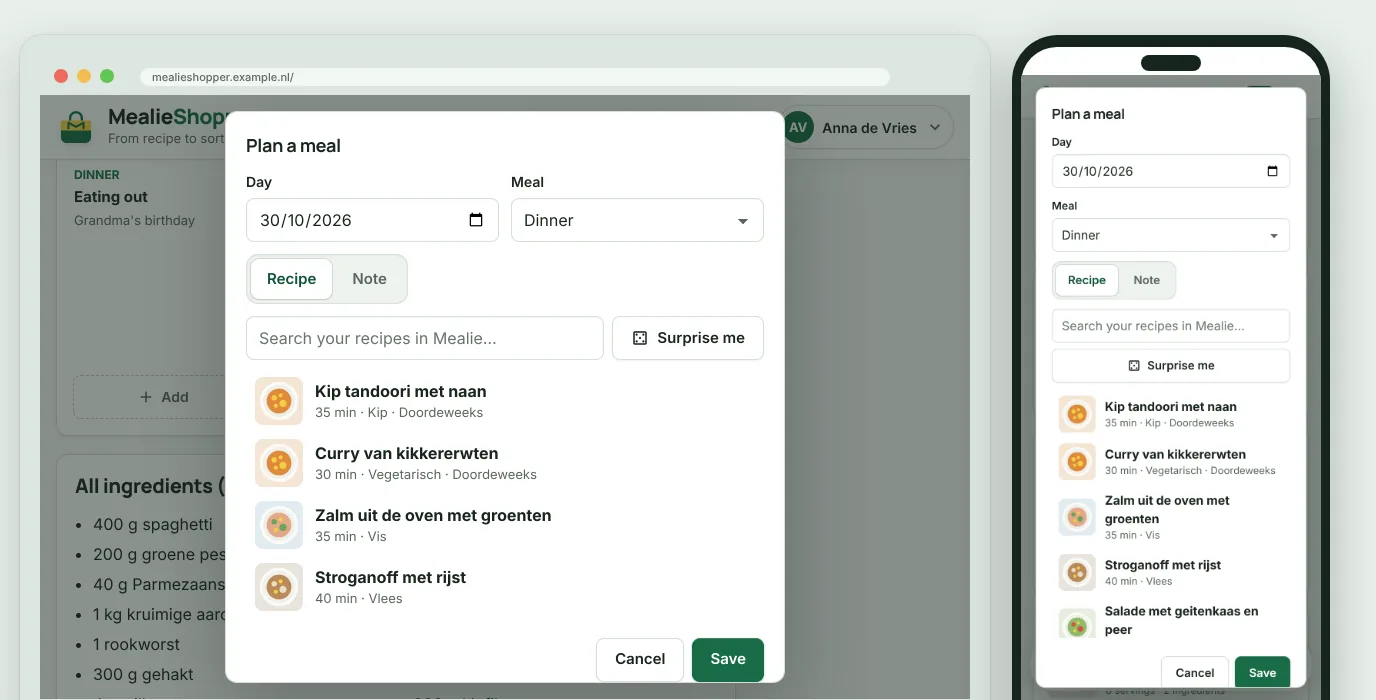
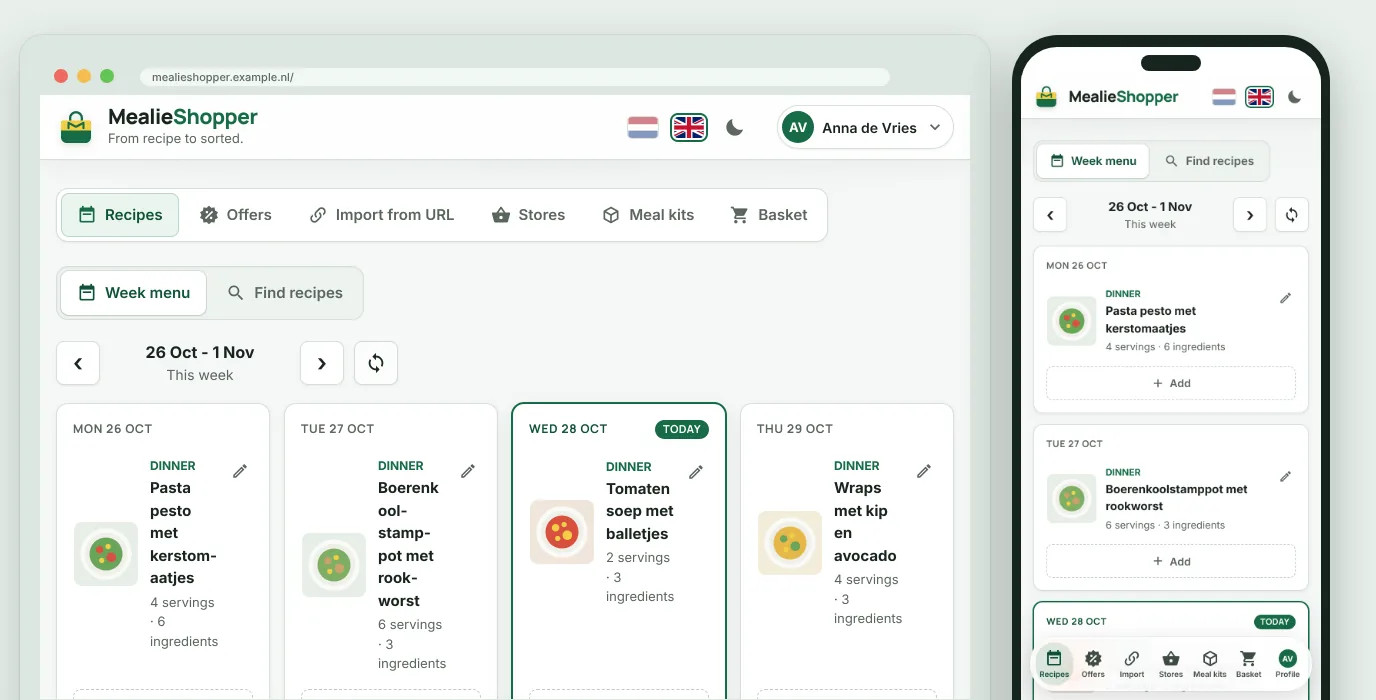
Put a recipe or a note on a day, in Mealie or in MealieShopper. Not sure? Then Surprise me picks a recipe. Every change is in Mealie straight away.
2
One button for your groceries
MealieShopper looks up the best products at your store for every ingredient, turns servings into packs and adds up the same ingredient from different recipes.
3
You check, you order
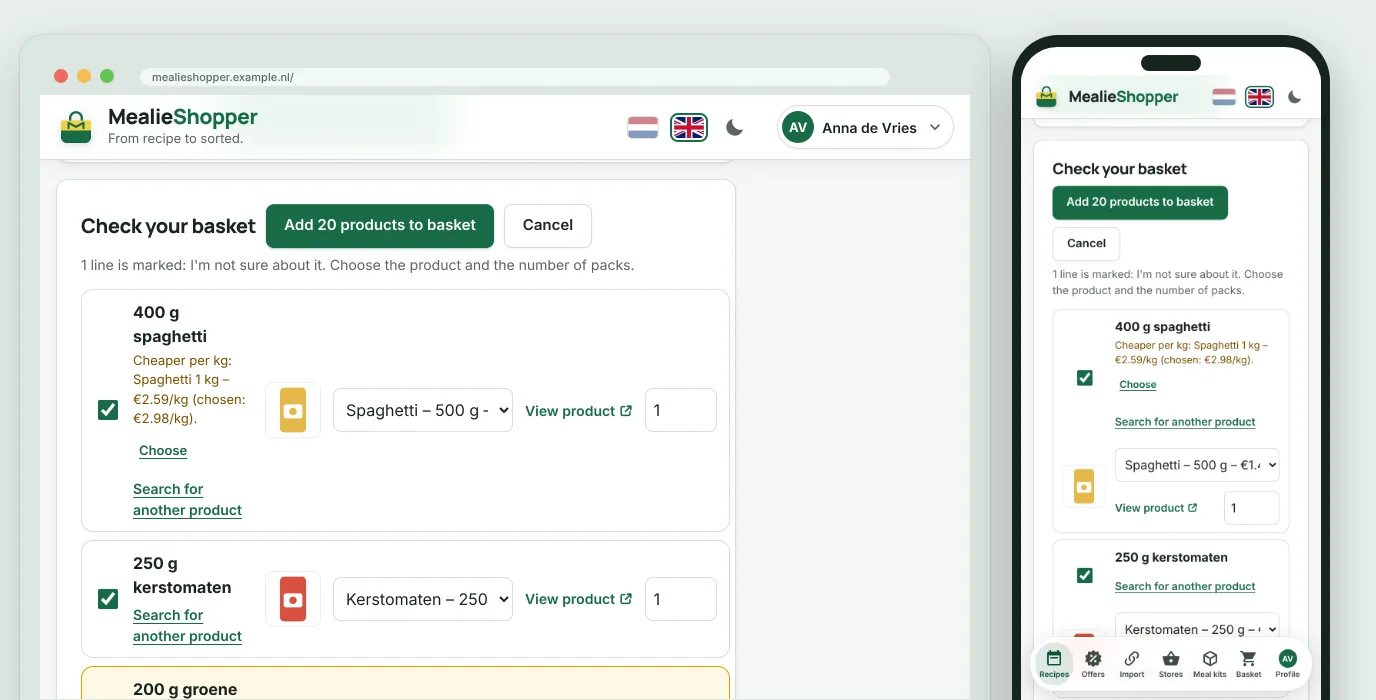
You first see a list with the price per kilo, and wherever the app has doubts there is a marker. Only after you confirm does everything go into your basket. An order is never placed.
Features
Everything between recipe and receipt
Your week menu, your supermarkets and your recipes in one place, for your whole household.
Week menu to basket
Your whole week in your basket in one go
One button looks up the best products for every ingredient in your week menu. You check everything in a list before it goes into your basket.
Servings and packs worked out
The same ingredient from several recipes added up
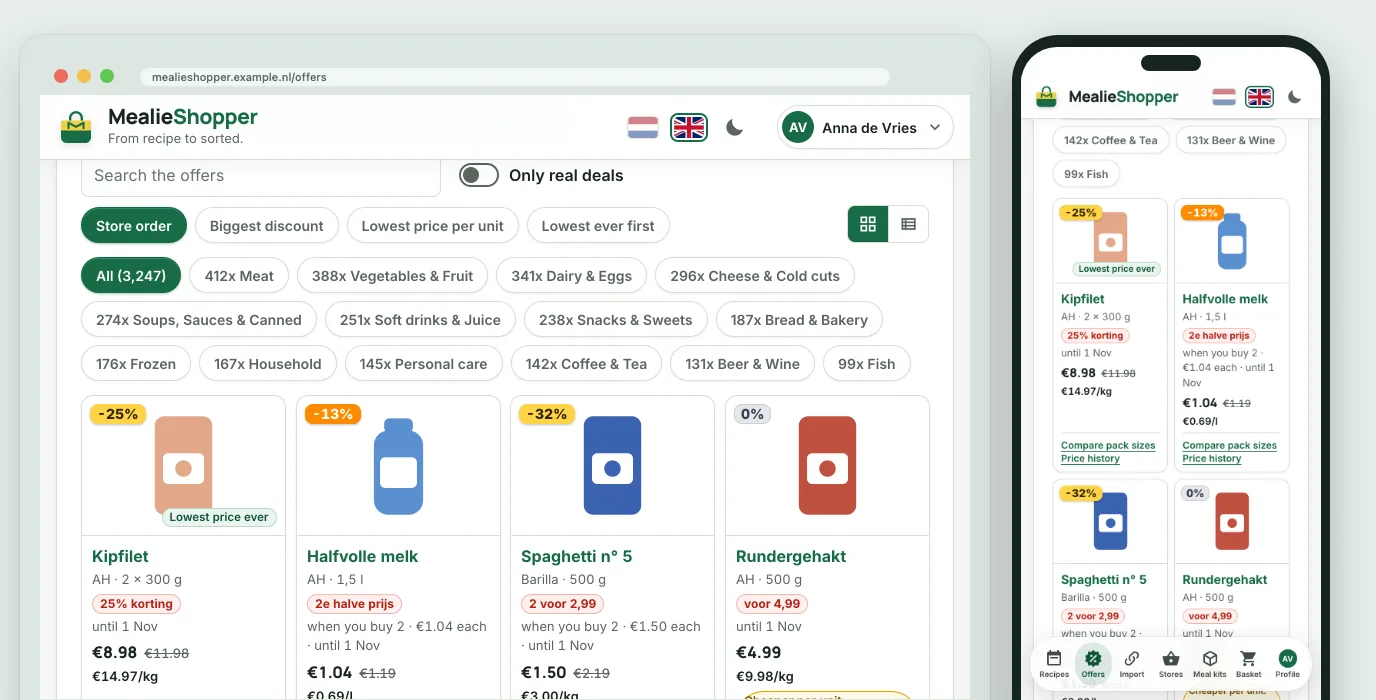
If another pack is cheaper per kilo, you see it straight away
With Prefer organic, the organic product first, if the store has it
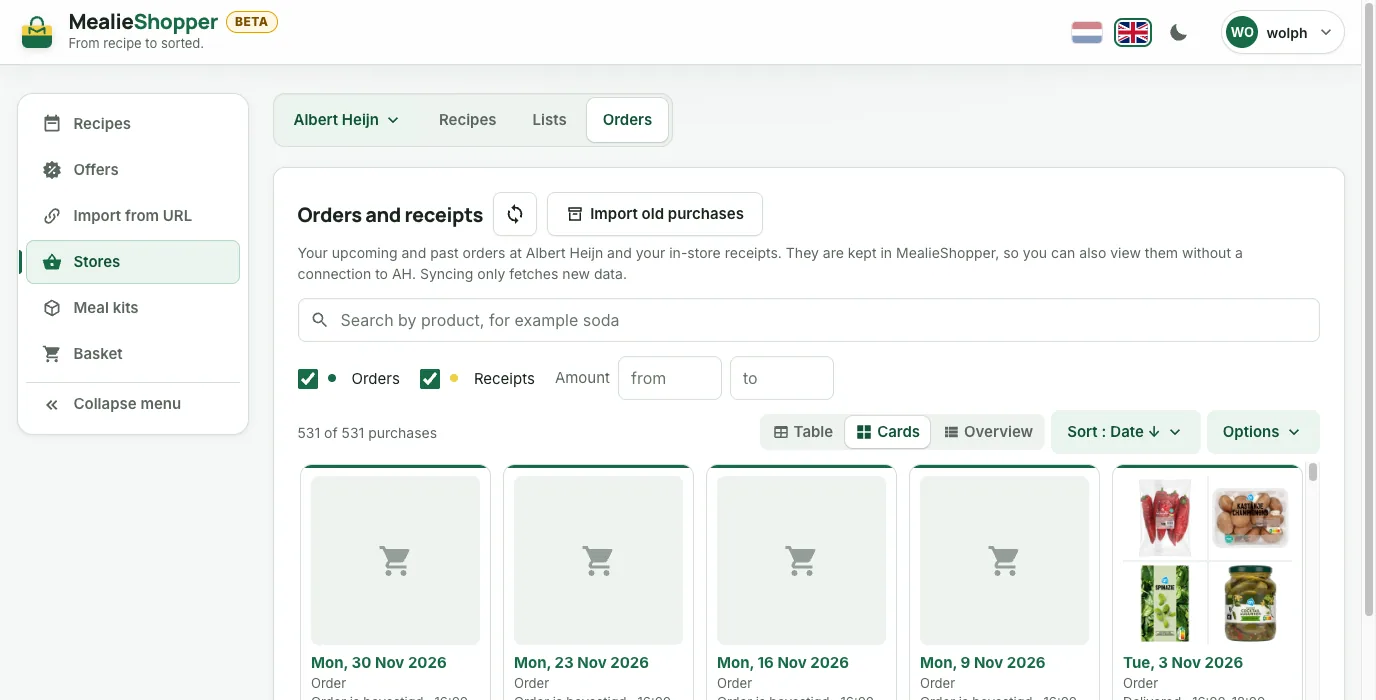
Your basket, lists, saved recipes, favourites, orders and AH receipts, kept as a copy of their own that you can search. Even when the store is unavailable.
When did you last buy coffee? Look it up
A receipt line the app does not know, you link to a product yourself
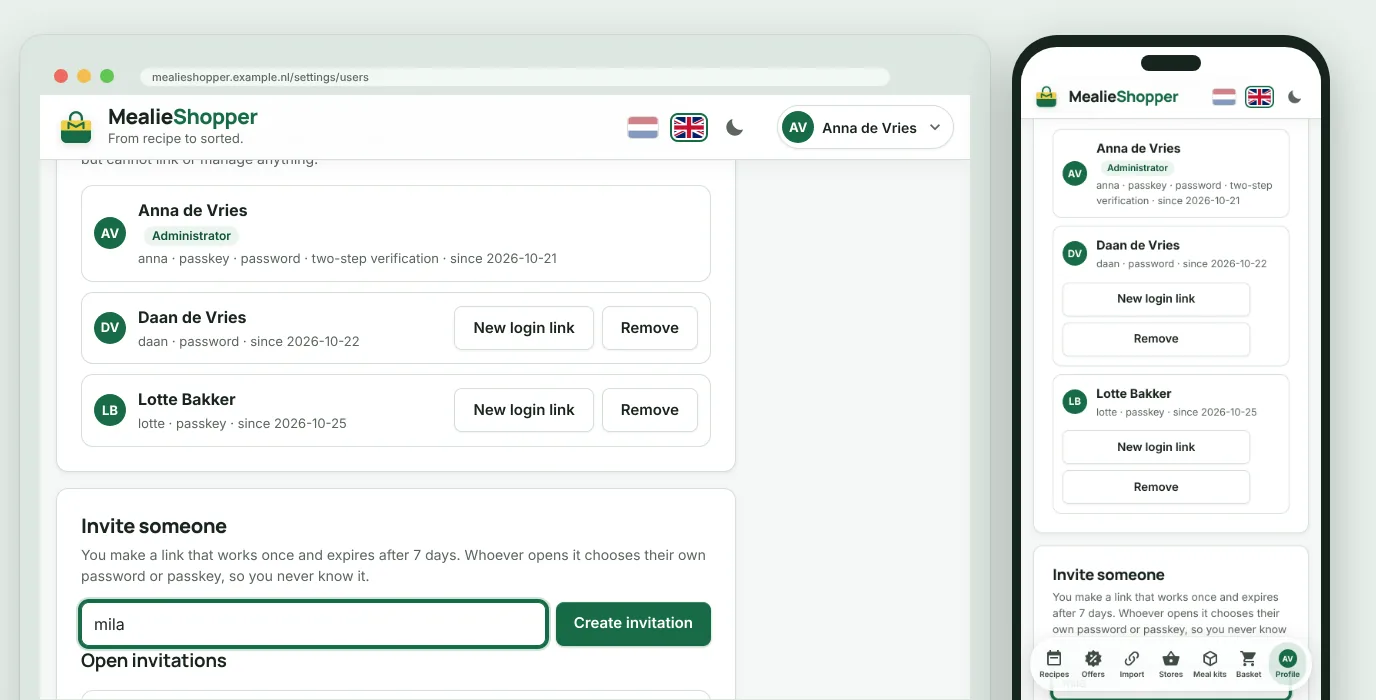
Invite housemates with a link. Only the administrator links Mealie and the stores.
Safe sign-in
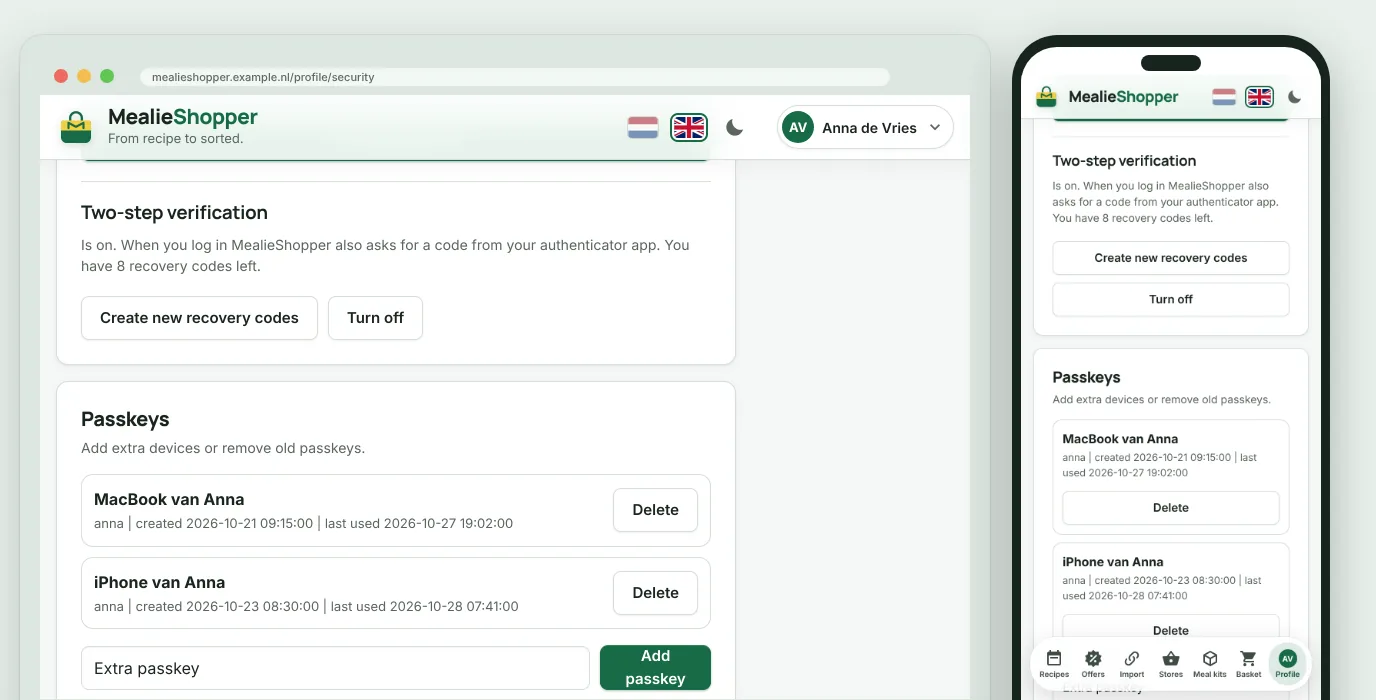
With a passkey, or with a password and two-step verification.
An app on your phone
Install MealieShopper as an app, with a menu bar like your other apps on an iPhone or Android device.
Your colours
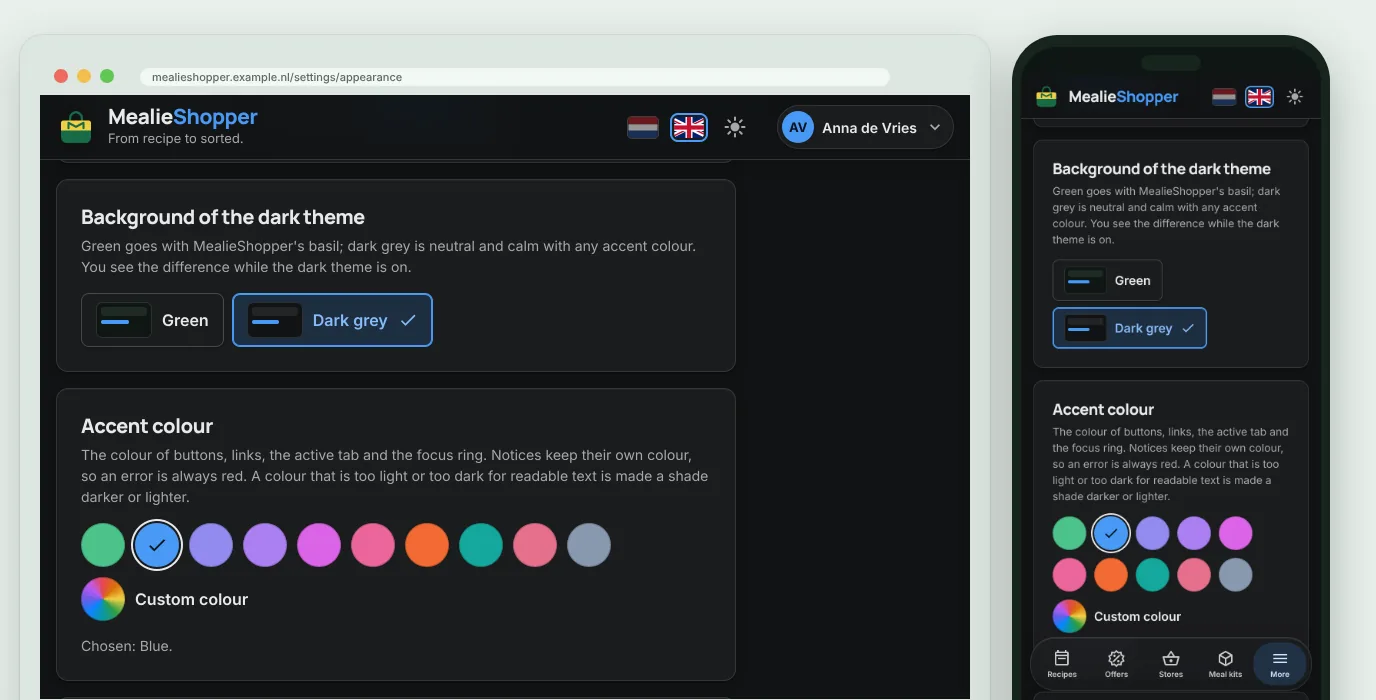
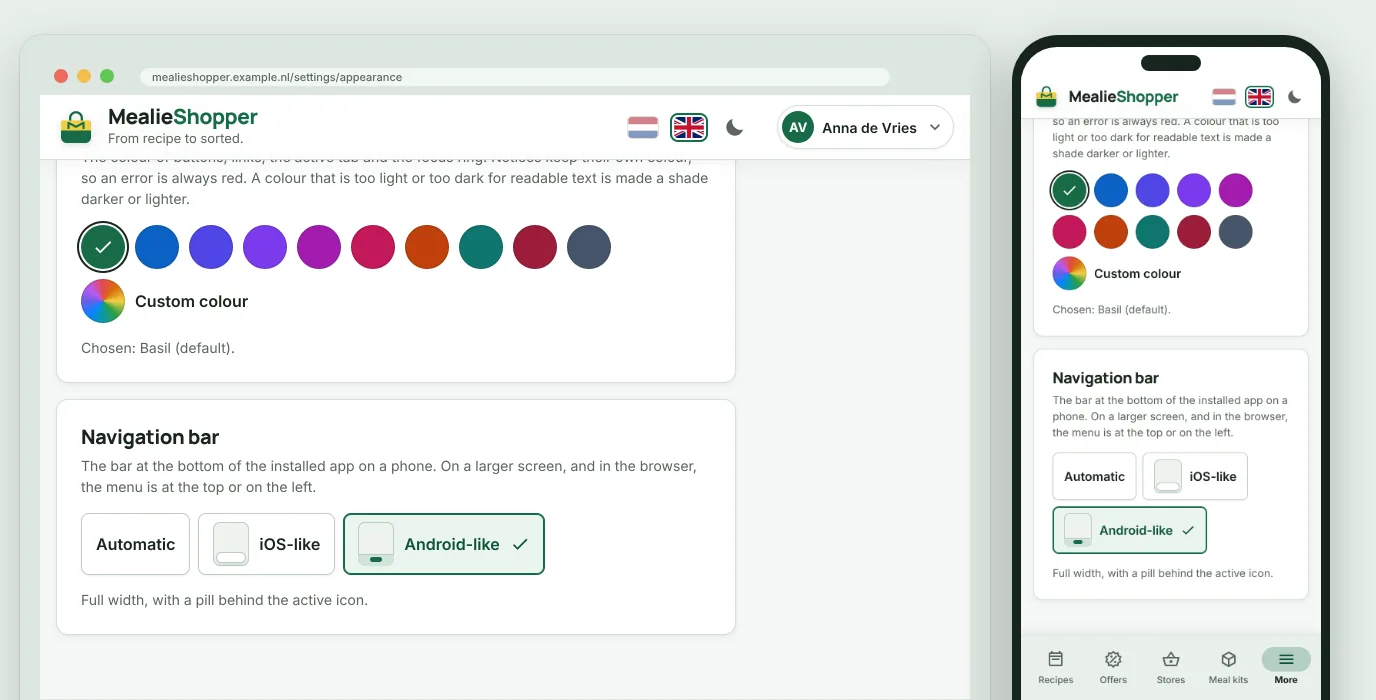
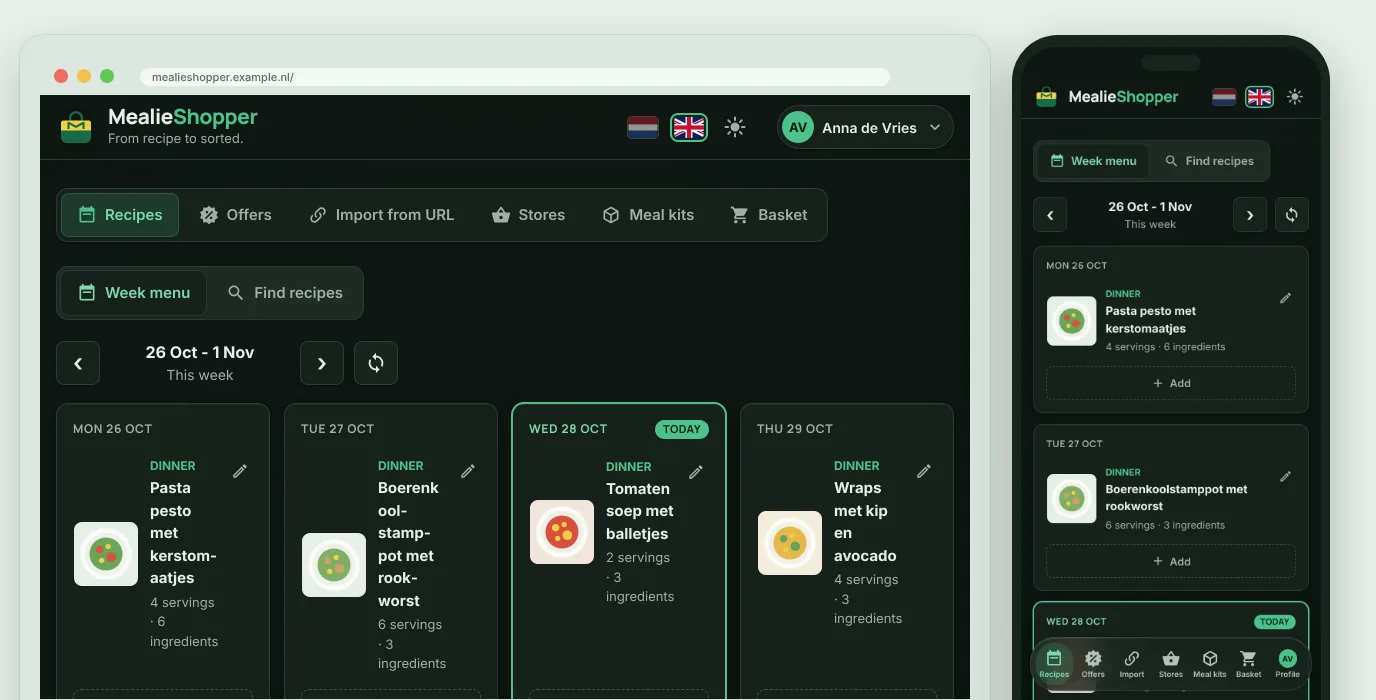
A light or dark theme and your own accent colour, for every user separately.
Dutch and English
Everyone picks their own language, and every screen has its own address.
Backup in one file
Make a backup with one click and restore it on a new server. You encrypt your links with a password of your own.
Screens
What it looks like
Every image shows the same screen on a computer and on a phone, with demo data.
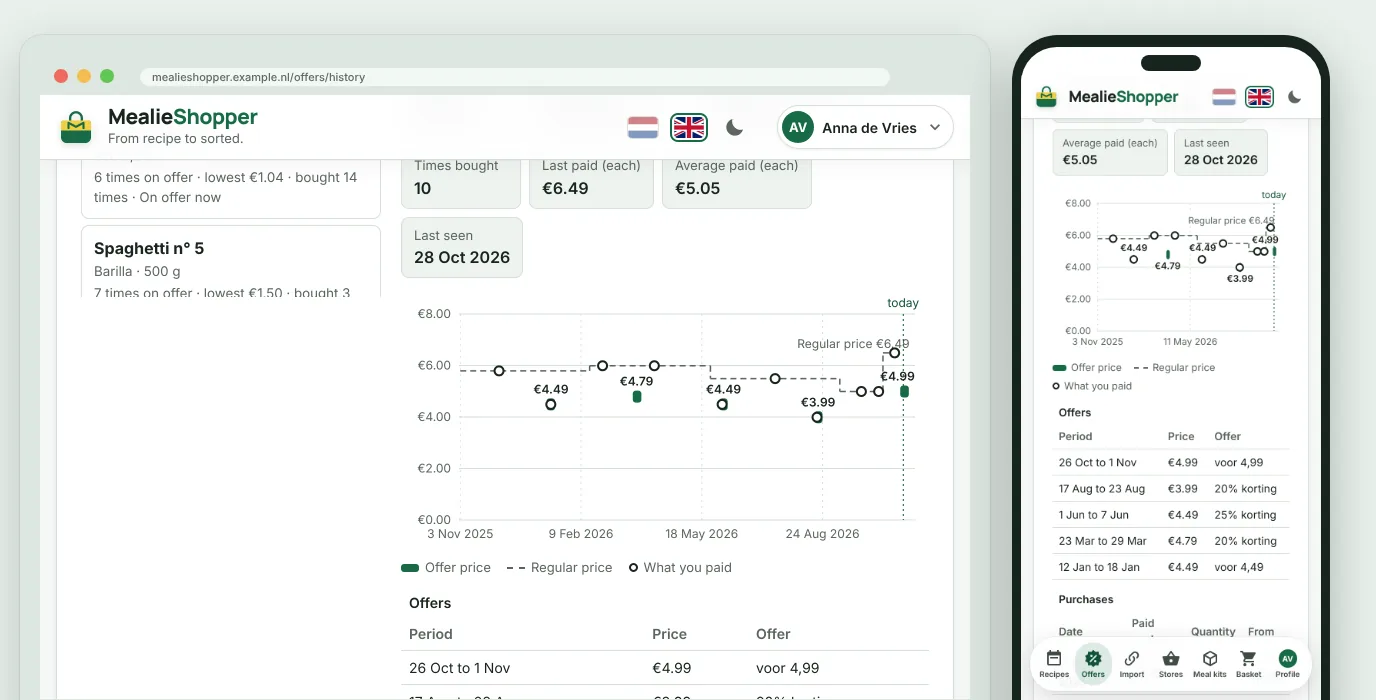
Price history: the offers, the regular price and what you paid yourself
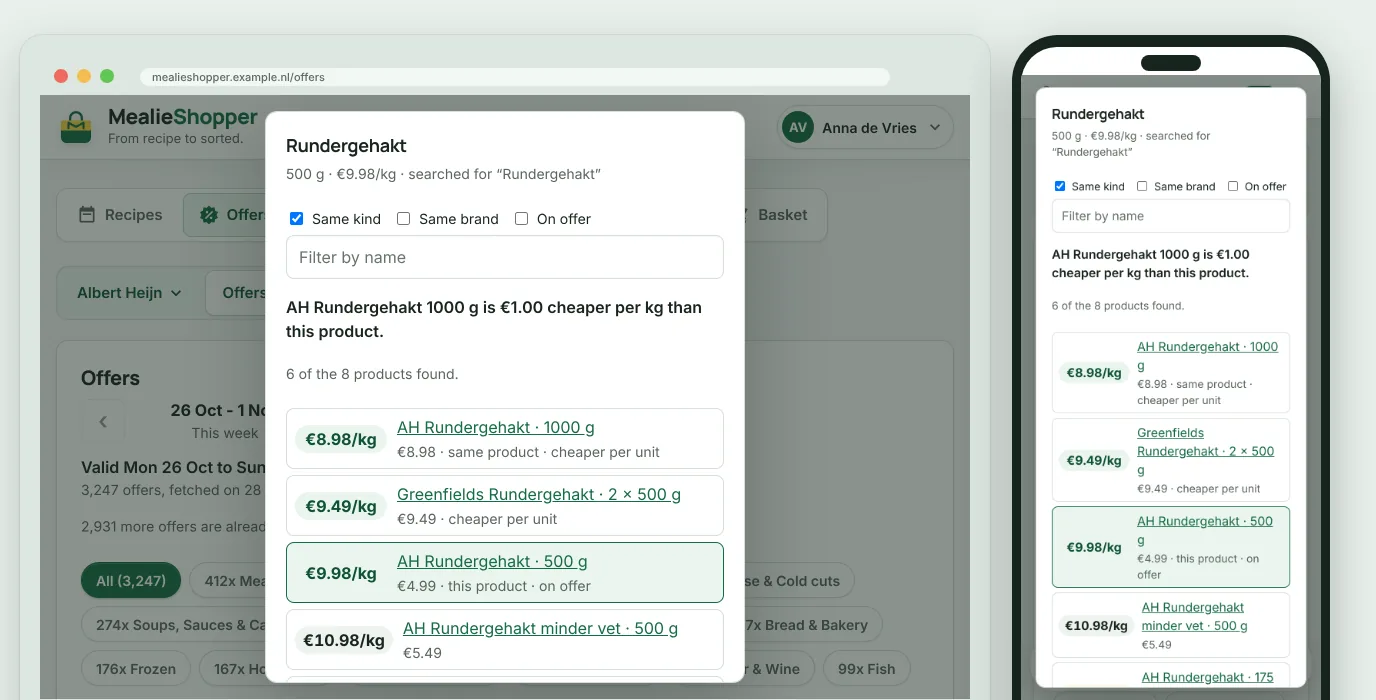
Compare pack sizes: the cheapest per kilo at the top
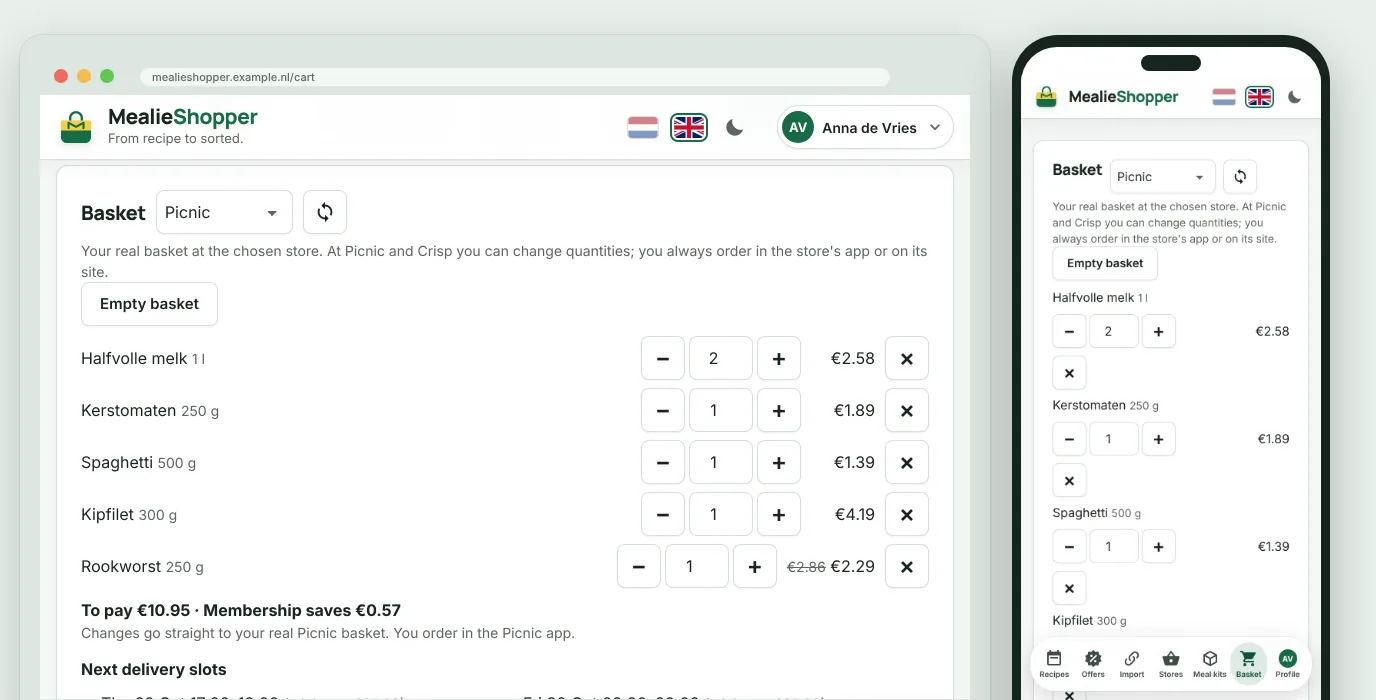
The Picnic basket, with the delivery slots
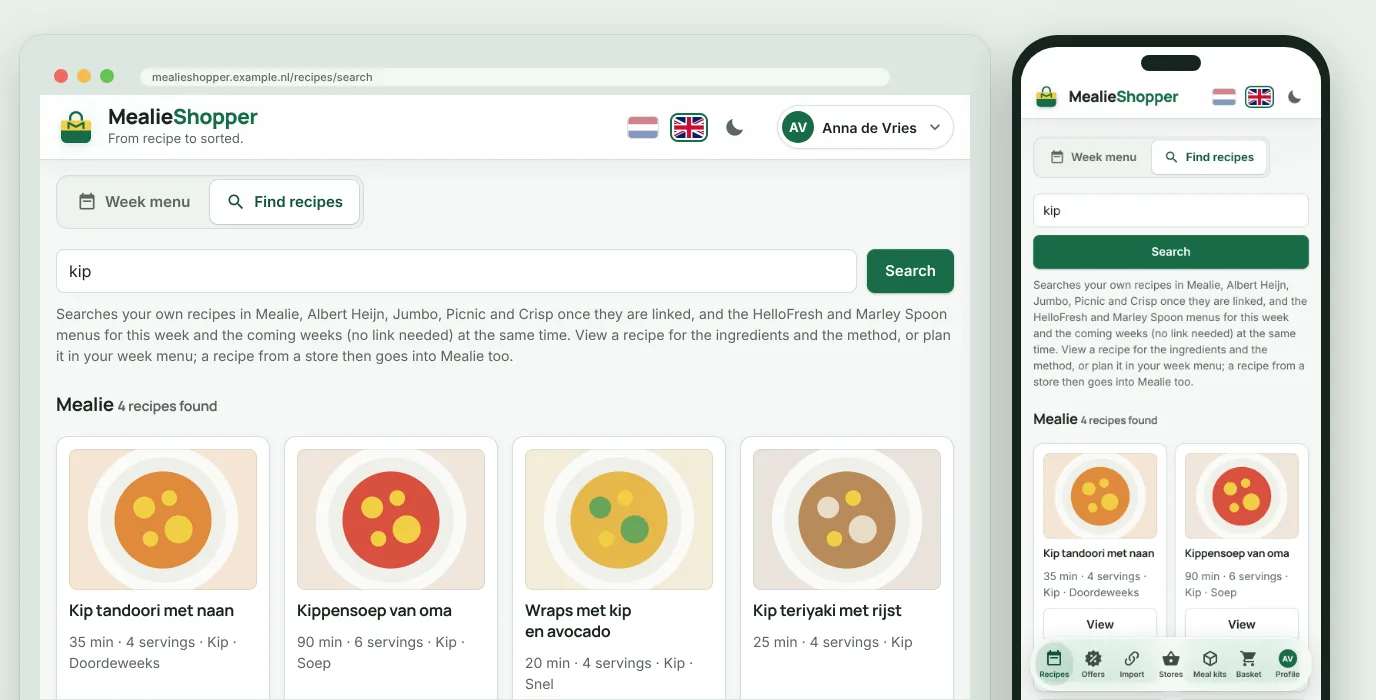
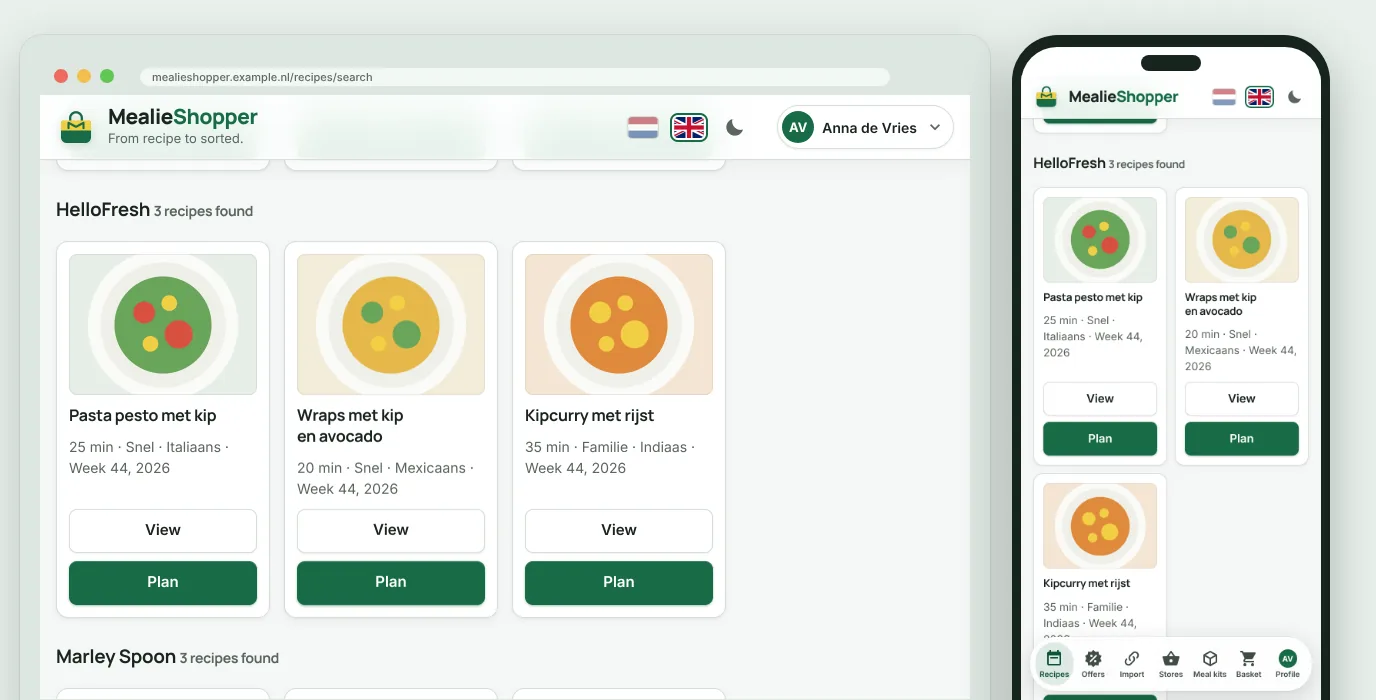
Recipes from HelloFresh and Marley Spoon, planned with one click
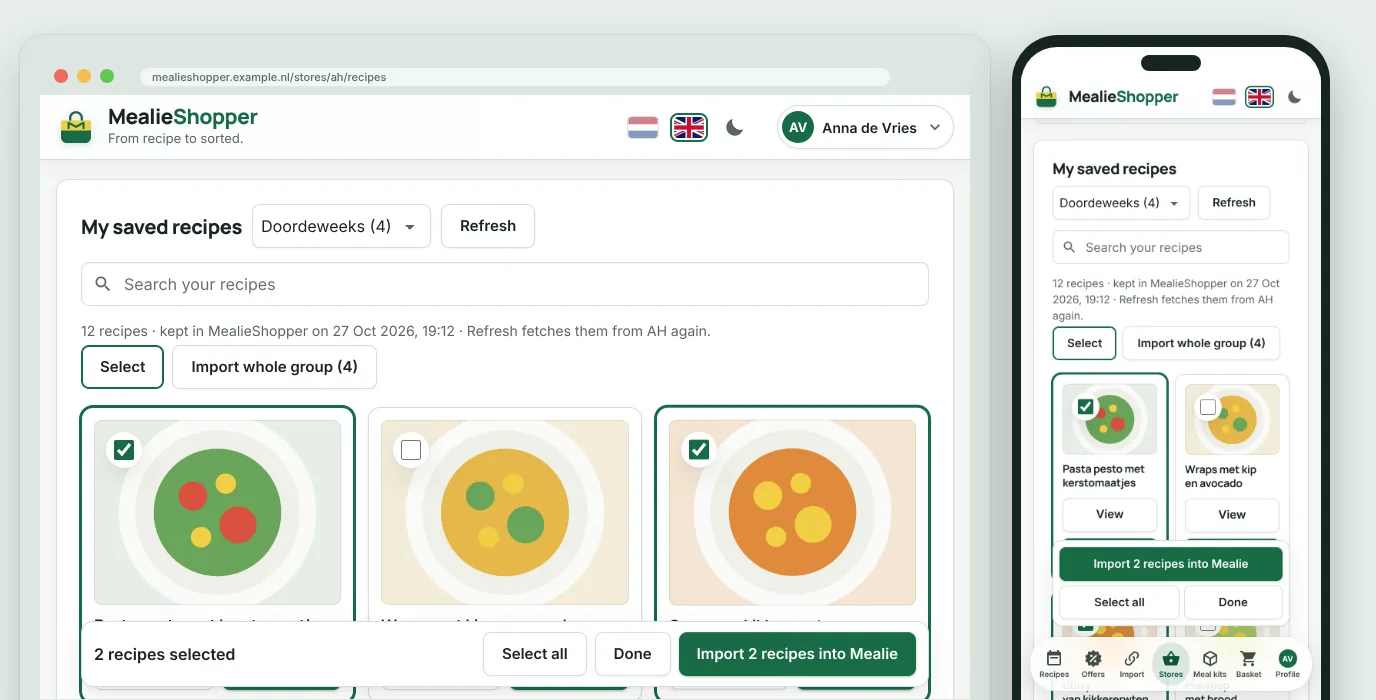
Your saved AH recipes into Mealie in one go
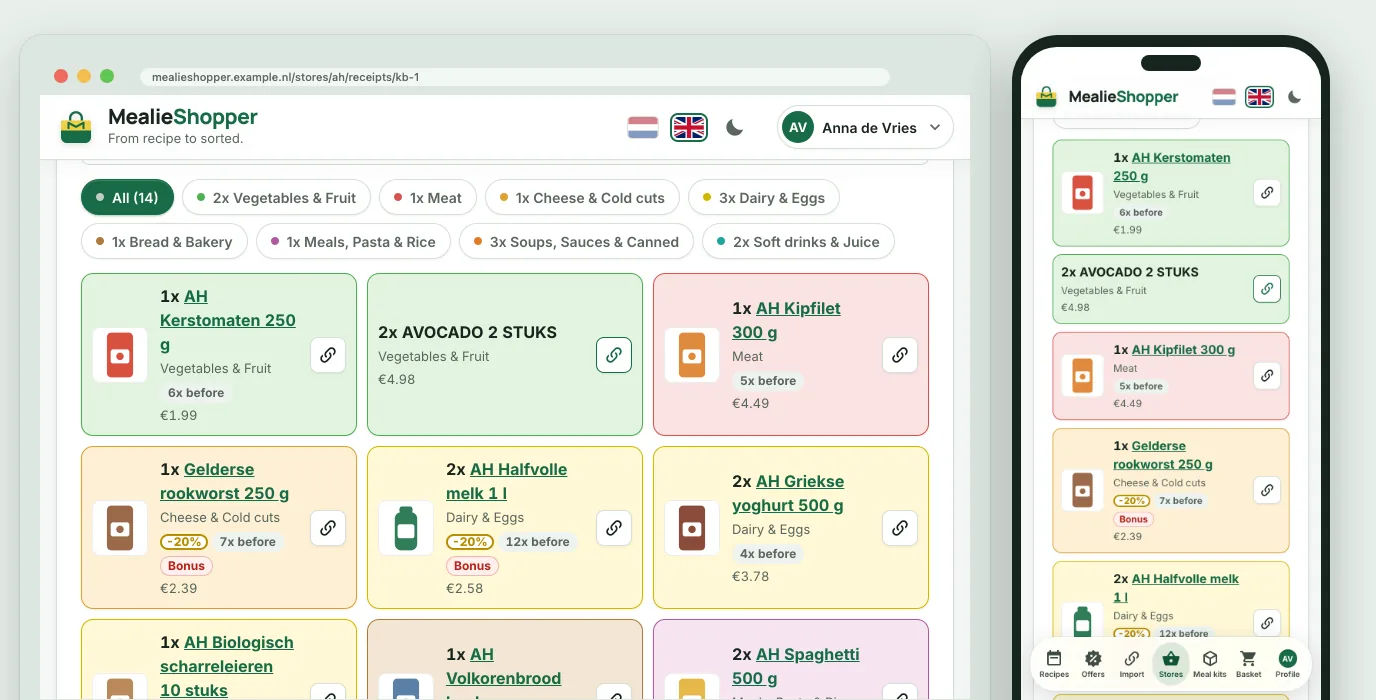
A receipt as cards, in the colour of each category
Appearance: a dark theme and your own accent colour
The menu bar as on an iPhone or an Android device
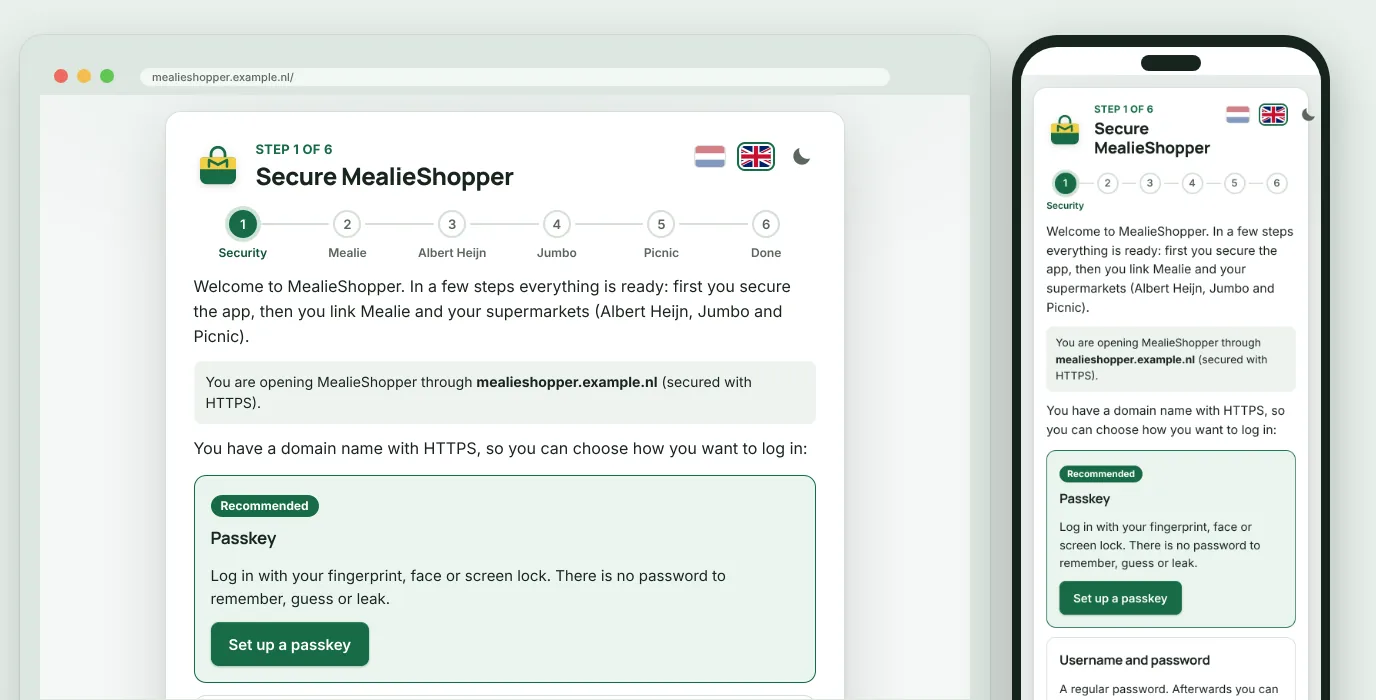
The setup assistant on the first start
Passkeys, a password and two-step verification
Inviting housemates with a link
Privacy
You stay in control
MealieShopper runs in your own container. There is no account with us, and nothing is sent to us.
No analytics, no tracking
The update check only asks GitHub for the latest version, without sending anything about you or your installation.
Everything in one folder
Your data sits in a database on your own server. Include that folder in your backups and you have it all.
Encrypted links
Your links with Mealie and the stores are stored encrypted. The app keeps neither store passwords nor your delivery address.
AI only when you want it
Something only goes to an AI service when the administrator enters a key of their own and presses the button themselves.
Install
Up and running in a few minutes
You need an Unraid server, a computer or NAS with Docker, or Home Assistant. There is nothing to set up beforehand: on the first start a setup assistant walks you through security and the links.
Unraid, from the app store
In Unraid, open the Apps tab (Community Applications) and search for MealieShopper.
Choose Install, then Apply. The port (5959) and the folder for your data (/mnt/user/appdata/mealieshopper) are already filled in; everything else is optional.
Open the web interface from the MealieShopper icon on the Docker tab and follow the setup assistant.
MealieShopper is in Helmer's Repository. Want new features earlier? Then also install MealieShopper (beta): it runs next to the stable version, with a folder of its own and port 5960.
Docker Compose
Create a folder for your data and fetch the compose file.
Do the first start on a network you trust. As long as no sign-in method is set up, whoever opens the address first can claim the installation.
Questions
Frequently asked questions
What does MealieShopper cost?
Nothing. MealieShopper is open source under the MIT licence and runs on your own server. If you want to support its development, you can with a coffee.
Do I need Mealie?
Yes. MealieShopper is made for anyone who keeps their recipes in Mealie. Your week menu and the recipes you import live in your own Mealie; MealieShopper links to it with an API token. Mealie itself is free and self-hostable too.
Does MealieShopper order my groceries?
No. MealieShopper puts products in your basket after you have checked the list. You complete the order yourself, at Albert Heijn, in the Picnic app, at Jumbo or in the Crisp app. An order is never placed.
Which supermarkets does it work with?
Albert Heijn, Picnic, Jumbo and Crisp. Picnic also works with an account from Germany or France. You can also search recipes at HelloFresh and Marley Spoon.
At Picnic and Crisp you can change the basket in MealieShopper too; the Jumbo basket you can only view there.
Is this an official app of the supermarkets?
No. MealieShopper is an unofficial tool and has no ties to Mealie, Albert Heijn, Picnic, Jumbo or Crisp. It uses the stores' unofficial app APIs, which can change without notice. It is meant for personal use.
Where is my data kept?
In one folder on your own server: /data in the container, with an SQLite database and a key file. Include that folder in your backups. In the app you can also make a backup file with one click and restore it on another server.
Does it run on a Raspberry Pi or a NAS?
Yes. The image is built for linux/amd64 and linux/arm64, so it also runs on a Raspberry Pi and on an ARM NAS, such as some Synology models. On Unraid you install it from the app store (Community Applications), in Home Assistant as an add-on.
Can I use it on my phone?
Yes. Open the address of your installation and install MealieShopper as an app: on an iPhone with Share, Add to Home Screen, on Android in Chrome with Install app. Installing works over HTTPS.
What is the difference between stable and beta?
The latest tag is the stable version. The beta tag gets new features earlier and shows a beta badge next to the logo. If you run beta, use a folder of its own for your data.
Free, and it stays that way
Is it useful to you? A coffee keeps the development going. A star on GitHub or a reported bug helps too.


 Enlarge the image